

Trust-Prompt features for local AI prompt data protection
Trust-Prompt is built for AI prompt data protection before content is sent to supported AI websites. Instead of relying on downstream alerts alone, Trust-Prompt adds a local pre-send layer, and that helps users and businesses reduce accidental exposure of sensitive data during everyday AI use.
On this page, you can review the main Trust-Prompt features, including local prompt checks, allow, warn, and block decisions, upload-related behavior, and the additional governance features included in Trust-Prompt Plus. You can also compare plans on the Pricing page, review the Terms of Service, and read the Privacy Policy.
Local prompt checks before submission
Trust-Prompt performs local prompt checks before submission, so users can review risky content before it leaves the page. This matters because many AI prompt data protection incidents happen during copy and paste, quick prompts, and rushed uploads.
- Allow for normal content that does not trigger a stronger response
- Warn when potentially sensitive content should be reviewed before sending
- Block when clearly risky content should not be submitted
- Local-first evaluation in the StoreBasic workflow instead of remote AI prompt analysis
Trust-Prompt Plus governance features
Trust-Prompt Plus is the licensed version for professionals and smaller business environments, and it is built for teams that want to configure local governance filters, rule behavior, scopes, and policy logic more precisely.
- Policies
- Policies by category
- Word policies
- Scopes
- Upload Policy
- Redaction
- Self-Test
- Verification Matrix
- Policy Pack
- Audit Visibility
- License-based activation
- Support for more AI websites
Learn more on the Trust-Prompt Plus page, or compare plans on the Pricing page.
Warning and block examples
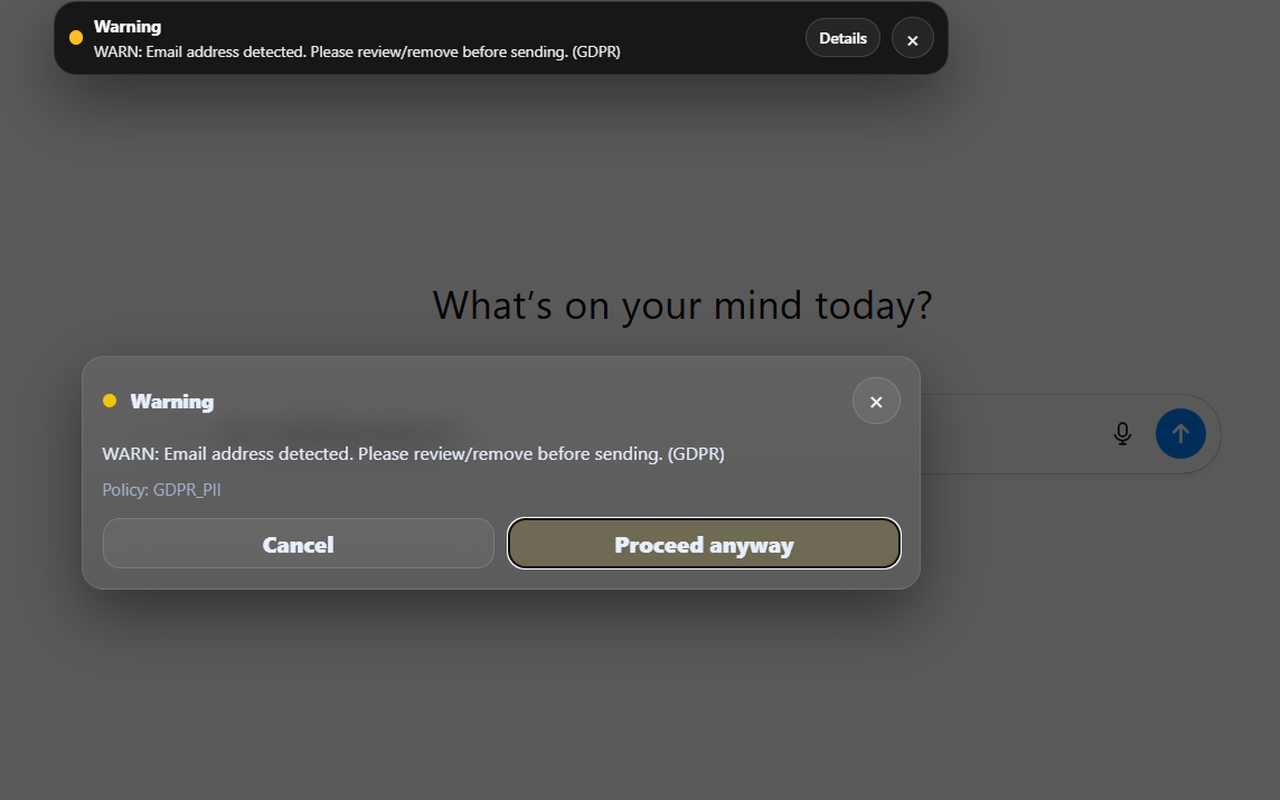
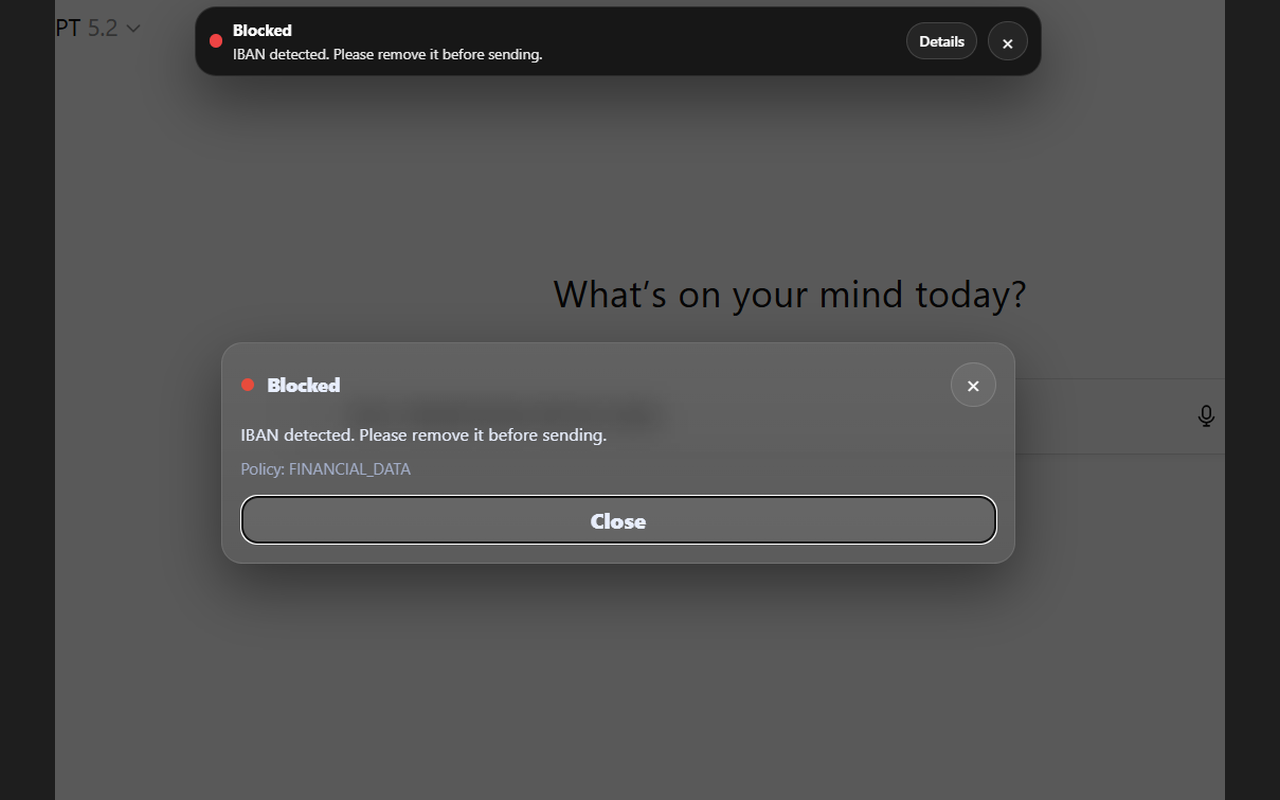
Trust-Prompt shows warning or block decisions before submission. A warning asks the user to review and confirm, while a block prevents clearly risky content from leaving the page. As a result, the decision is visible before the prompt is sent.
What Trust-Prompt can detect locally
Trust-Prompt uses deterministic and detector-based logic to classify relevant signals locally. That approach is easier to understand, easier to test, and easier to validate than a hidden remote evaluation model, while it also supports more practical governance work.
Financial data
Examples include valid IBAN patterns and related financial signals.
Payment card combinations
Examples include card plus CVV or card plus expiry date combinations.
Secrets and tokens
Examples include API keys, credential material, and JWT-like token patterns.
PII indicators
Examples include email addresses, phone numbers, and address-like text.
If you want plan details and yearly business licensing, visit Trust-Prompt Pricing.
Audit visibility in Trust-Prompt Plus
One important Trust-Prompt Plus feature is audit visibility. It gives professionals and smaller businesses a better governance view of checks, warnings, blocks, and related signals in a local product context, while it avoids relying on prompt content as the main audit model.
Checks
Warnings
Blocks
Purpose
Upload handling and upload policy
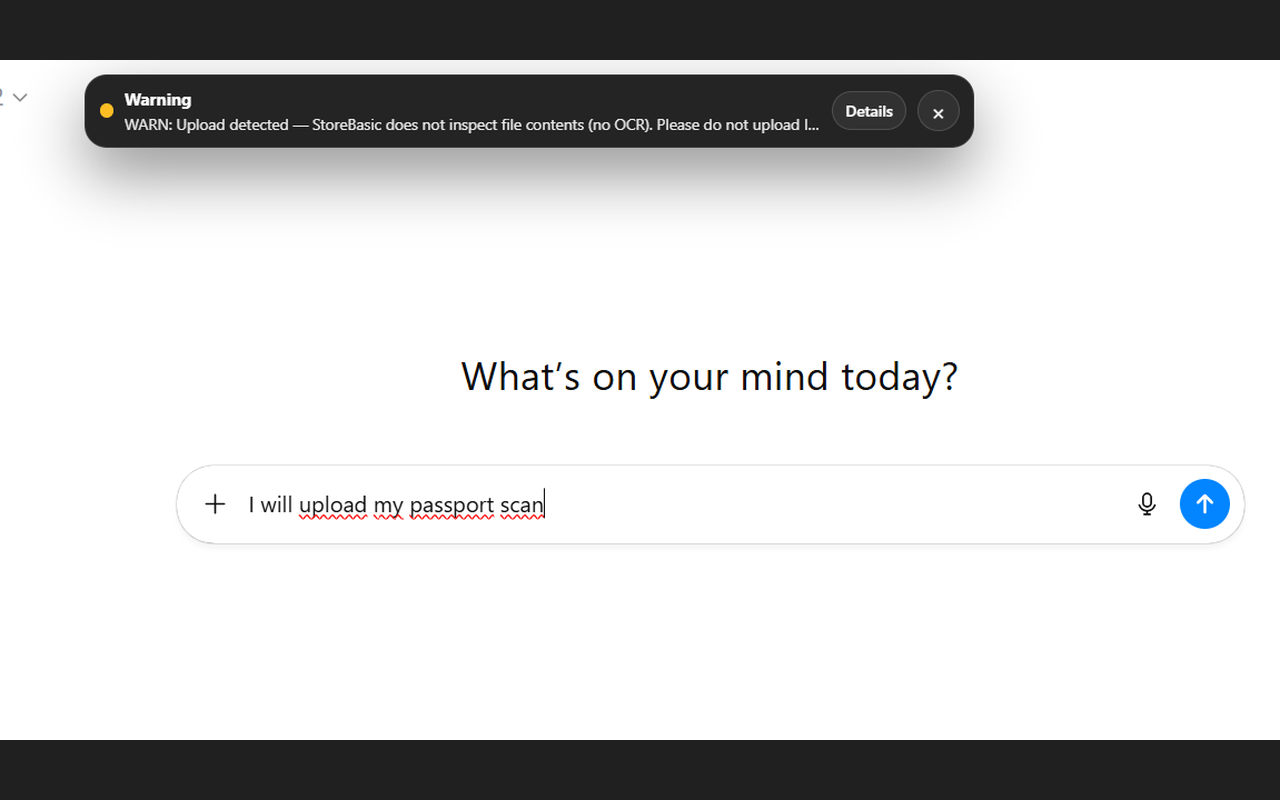
File handling is an important part of AI prompt data protection. In the current StoreBasic version, Trust-Prompt can detect an upload event and show a warning, but it does not inspect files, perform OCR, or analyze document contents.
Trust-Prompt Plus extends this with upload policy controls, so the organization can define whether upload-related behavior should be allowed, warned, or blocked according to its own governance needs. That way, teams can apply stricter rules where needed, and they can still keep the workflow understandable.
StoreBasic vs Trust-Prompt Plus
StoreBasic is the free local-first version, while Trust-Prompt Plus builds on that foundation and adds configurable governance features for professionals and smaller business environments.
StoreBasic
Free local prompt checks
Trust-Prompt Plus
Licensed governance features
Privacy-first product logic
Trust-Prompt follows a privacy-first approach because prompt checks should stay as close to the user as possible. In the StoreBasic model, checks run locally instead of relying on remote AI prompt inspection, and that supports data minimization as well as a more controlled AI workflow.
Local-first checks
No remote AI prompt evaluation is part of the core StoreBasic workflow described on this page.
Data minimization
The local-first model supports more controlled handling of prompt-related signals before submission.
Governance support
Trust-Prompt helps support safer AI use, but it does not replace legal advice or internal compliance processes.
Related pages: Trust-Prompt Plus · Pricing · How it works · Terms of Service · Privacy Policy · Contact