

AI prompt data protection before you send
Many privacy issues with AI tools happen by accident. People move fast, and they often paste the wrong text. AI prompt data protection helps here, because it adds a clear check before anything leaves the device.
Teams also share files and notes every day, so mistakes can happen quickly. That is why a small “pause and review” step matters. In practice, it reduces risk without blocking normal work.
Trust-Prompt adds this local layer inside the browser. It checks text in real time and shows a decision. Then the user can edit, proceed, or stop — depending on the risk.

What Trust-Prompt is
Trust-Prompt is a privacy-first prompt precheck layer. It helps prevent sensitive or regulated data from being shared with AI tools by mistake. It runs locally in the browser, and it shows a result before anything leaves the device.
See the technical flow on How it works. You can also review scope and options on Features. External reference: ChatGPT.
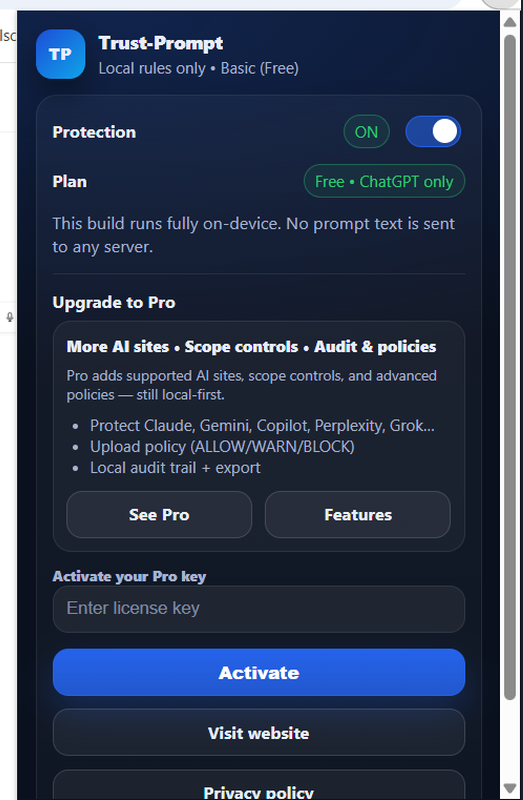
StoreBasic runs locally
StoreBasic focuses on local checks. It makes no server calls for prompt analysis, and it uses no AI model calls. It also avoids tracking, so it stays privacy-first.
What Trust-Prompt does for AI prompt data protection
Trust-Prompt uses clear outcomes. Each outcome guides the user and reduces mistakes. At the same time, it keeps the user in control.
BLOCK (high-risk)
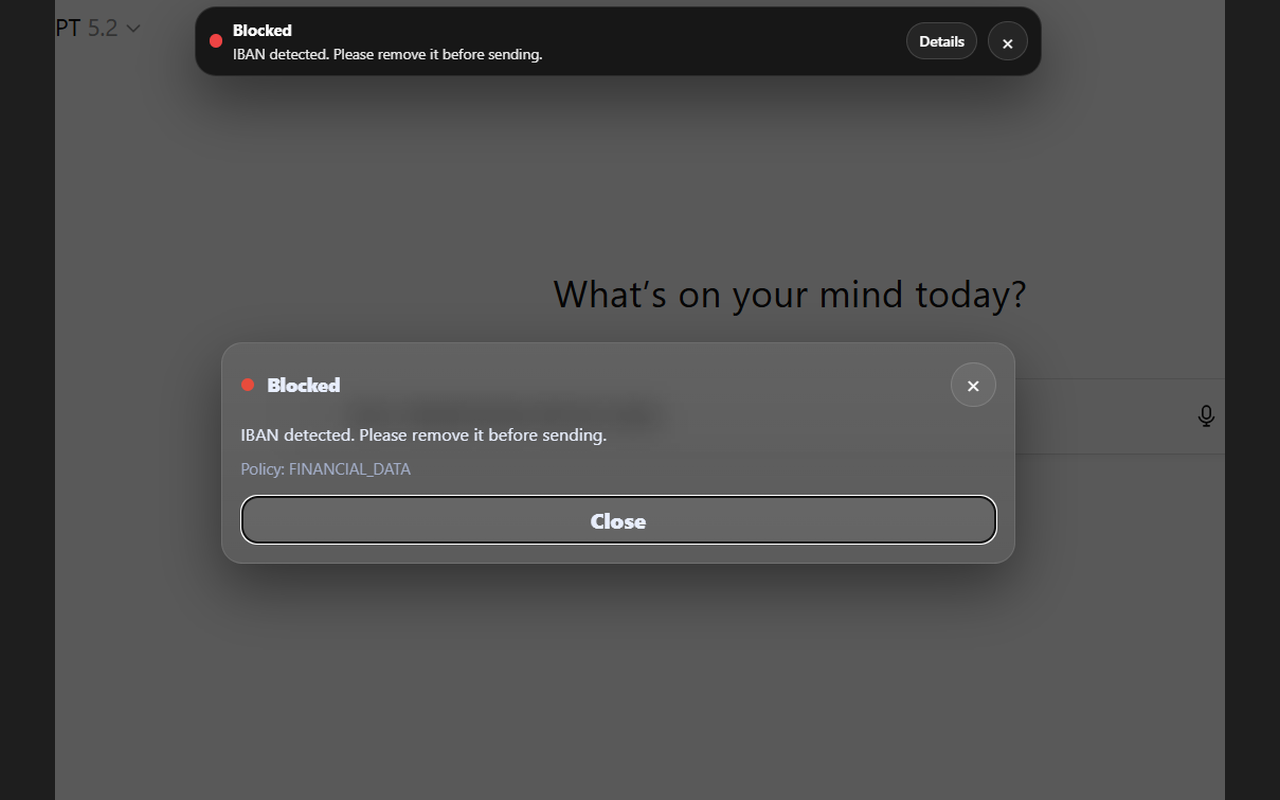
Blocks sending when high-risk patterns appear, for example IBANs, secrets/tokens, or payment card combinations.
WARN (review)
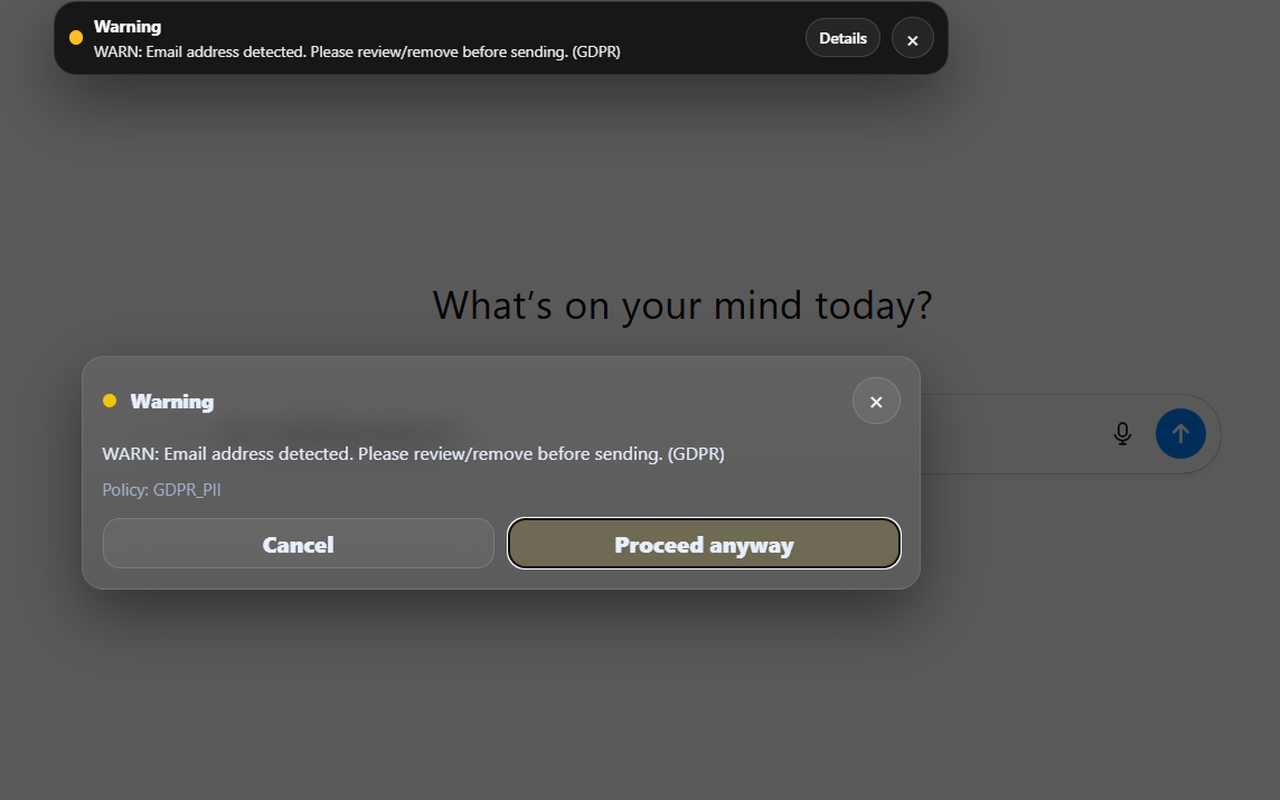
Shows a warning when personal data indicators may appear, so the user must confirm before sending.
INFO (guidance)
Offers optional guidance for low-risk cases, so users learn safer habits without friction.
Clear decisions: WARN and BLOCK before transmission
Trust-Prompt shows a decision before submission. As a result, people can correct content in time. When the tool warns, the user must confirm. When the tool blocks, sending stops until the risky data is removed.
StoreBasic: local-only by design
StoreBasic supports AI prompt data protection with local checks. It stays simple and predictable, because it runs offline and it does not send your prompts to a server for analysis.
- No server calls for prompt checking
- No AI calls (no AI APIs for checks)
- No analytics, telemetry, or tracking
- Checks run locally with a versioned ruleset
- No file inspection (no OCR, no document analysis)
For test evidence, see Testing & Quality.
File uploads (StoreBasic vs Pro)
StoreBasic does not read file contents. Instead, it can warn when an attachment is added. This matters, because identity documents, banking files, and tax data can create a high risk.
Pro can add upload policy controls (allow/warn/block). Therefore, teams can enforce stricter rules when needed. Details are on Pricing.
Privacy & compliance mindset (GDPR/DSGVO + EU AI Act)
Trust-Prompt follows data minimization and privacy-by-design. It helps teams reduce risk when they use AI tools. It can support governance work, because it adds a technical “pre-send” control.
We align our mindset with common expectations under GDPR/DSGVO, and we also track emerging governance requirements such as the EU AI Act. However, we do not claim certification, and we do not provide legal guarantees.
Official references: GDPR (Regulation (EU) 2016/679) on EUR-Lex · EU AI Act on EUR-Lex (official portal)
Who Trust-Prompt is for
Trust-Prompt helps individuals and teams who use AI tools every day. It also helps organizations that handle sensitive data. Because it stays local, it fits well into privacy-first environments.
- Professionals using AI in daily work
- Teams handling sensitive or regulated information
- Organizations adopting AI in a risk-aware way
More: Features · FAQ · Contact
Pro & governance (when licensed)
Pro is designed for stricter governance. It can add multi-site scope controls, upload policy controls, and local audit visibility. At the same time, it keeps the privacy-first direction: no prompt content stored.
See Pricing for current scope and availability.